Overlay Detector (FOD) Support
The payment terminals feature built-in overlay detection using a recessed infrared (IR) proximity sensor,
known as the Foreign Object Detector (FOD) or P-sensor, that continuously monitors for unauthorized
hardware such as skimmer overlays. The payment application integrates with the FOD library to automate
detection and provide real-time visibility of tamper status at the POS level.
Applicable Devices
- M425 Plus -A
- M450 Plus -A
Background
Card-present devices are vulnerable to overlay attacks, where malicious hardware is fitted over the keypad
or bezel to capture cardholder input. Traditional safeguards rely on manual inspections by store associates —
a process that is both time-consuming and prone to human error. The overlay detection system replaces this
with automated, continuous validation, significantly reducing the likelihood of undetected tampering.
Rather than relying on basic surface-level sensing, which can be defeated by exposing the sensor, the
recessed IR field design analyses subtle changes in reflected light, surface properties, and proximity
signals. Even if an attacker attempts a precise cutout, the system can still identify anomalies caused by
the overlay’s presence within the sensor’s wider field of view, making circumvention far more difficult.
How It Works
Detection occurs in two modes:
- Boot-up — checked automatically on device startup.
- Runtime (scheduled) — periodic background monitoring at the interval defined by the
FODCHECKINTERVALparameter.
The overlay check is confirmed after the consecutive probe results (number of retry attempts), set using the
FODPROBESCOUNT parameter, before a final determination is made, preventing false positives.
When an overlay is detected, the terminal:
- Halts all payment flows immediately
- Displays a dedicated error screen on the device
- Returns a dedicated response code to the POS (Primary Port)
- Upon Reboot, if no overlay is present, the terminal resumes normal payment operation, and the next
check is scheduled after the nextFODCHECKINTERVALinterval.
Response Code
Refer to Result/Error Codes for more details.
| Response Code | Response Text | Displays |
|---|---|---|
| 59084 | Overlay Detected | 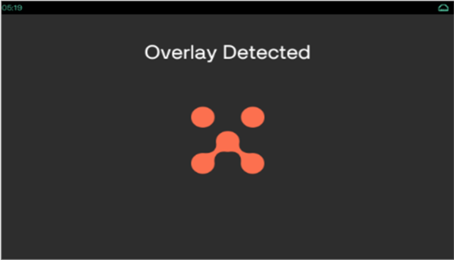
|
| 59085 | Overlay Detection Failed | 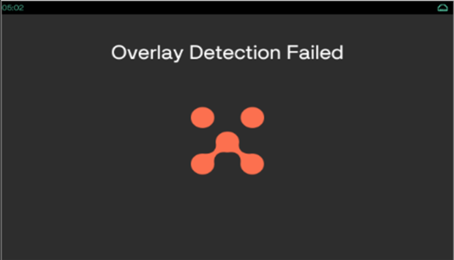
|
| 59086 | Overlay Detect In Progress | 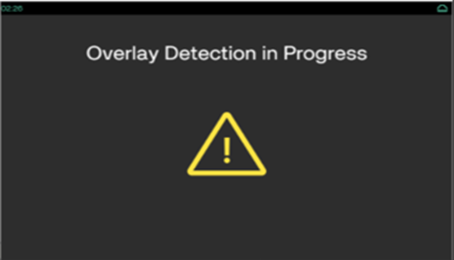
|
Secondary Port
Refer to Secondary Data Values and Detailed Status Values section for more details.
| Condition | Secondary Data | Detailed Status |
|---|---|---|
| Overlay Detected | 62 | 195 |
| Overlay Detection Failed | 62 | 196 |
| Overlay Detection In Progress | 62 | 197 |
