Signing Up
Merchant Onboarding & Activation
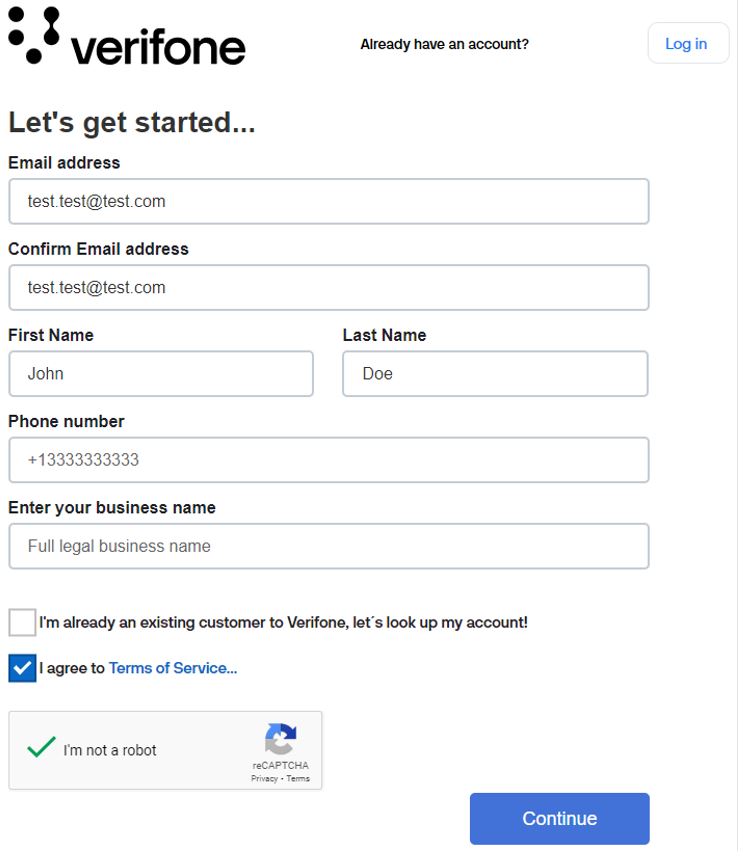
To gain access to the Boarding Service portal, follow the steps below when filling in the form. You can also watch the video tutorial.
- Enter your email address and confirm it. At this email address, you will receive the user credentials and the required link to set up your account.
- Type your first name and last name.
- Fill in your phone number.
- Type in your full legal business name.
- If you already have an existing Verifone account or Verifone equipment in your store, check the I’m already an existing customer to Verifone, let’s look up my account! checkbox. Follow the instructions below, in the Existing Verifone account section, for more details.
- Once all the information is filled in, make sure to agree to Verifone’s Terms of Service, once you read them, and confirm that I’m not a robot powered by Captcha.
- Press Continue to submit the user setup request.
Existing Verifone account
If you already have a Verifone account, fill in the following details on the form:
- Enter your business address. You can use Google LookUp for selection to easily autofill the correct address.
- Type in the Verifone account number. Identify the Verifone account number by looking at your latest invoice copy.
- (Optional) Enter your store number provided by your parent or corporate company. The store number is unique for your business and helps to identify your company entity and potential estate of sites.
- Type the last four digits of the business bank account number (ACH). This number is needed to verify the true identity and authorization of the user.
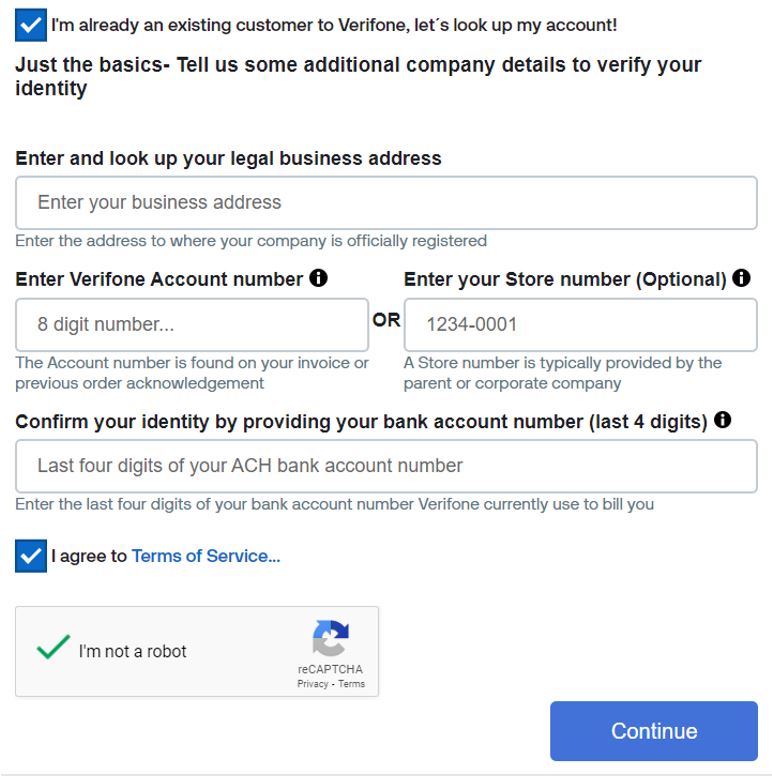
Verifone validates the information of business name, business address, account number (last four digits), and the optional value of store number to look up any existing account. You will be granted access to your existing Verifone account only if you provide a true match of the required information.
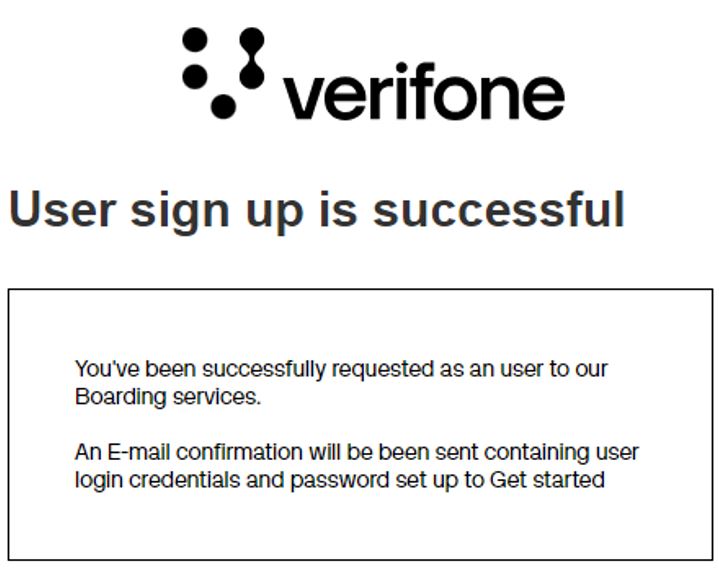
The portal displays a confirmation message if the user creation is successful, and the user credentials are sent to the registered email address. Follow the user credentials email to reset the password and log in to the portal.
Merchant Bulk Onboarding Solution
Watch this tutorial to learn how to onboard multiple merchants in one go:
