Create your account in Verifone Central
Last updated: 16-Oct-2025
Get access to Verifone Central
- Contact your Verifone account manager to get your account created in Verifone Central.
- After the creation of the account is confirmed, you will be granted access to Verifone Central.
- You will receive an auto-generated email from ‘no-reply@verifone.com’ confirming that your Verifone Central account has been set up, and you will have to set your password to log in to the portal. In the Welcome email and in the Forgot password email, you will receive a link to the page where you can set the new password. The link expires in 72 hours.
-
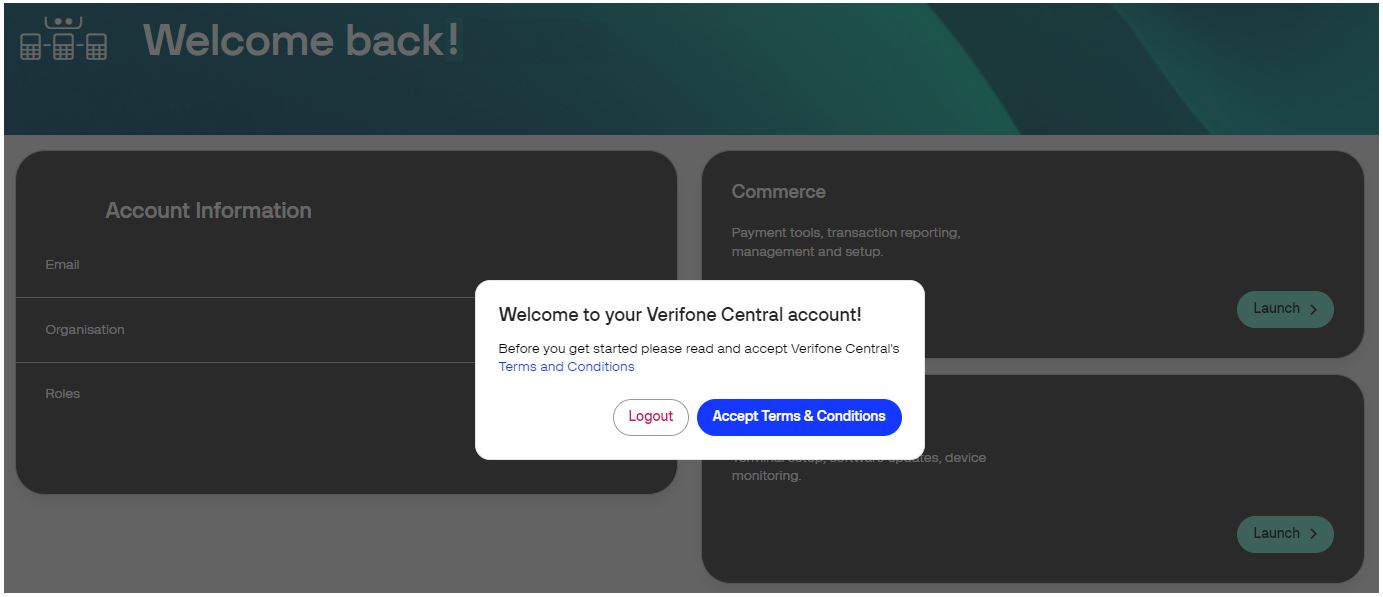
You can start using your Verifone Central account after submitting your consent to the Verifone internal conditions by clicking the Accept Terms & Conditions button.
- Within Verifone Central, feel free to navigate the Payments Dashboard, Reporting, Payment tools, Administration, Help & Support, User Account, and other sections. The set of available sections depends on the role that is assigned to the user and the features activated for your organization. See more information on user access rights here.
